Hall of Fame
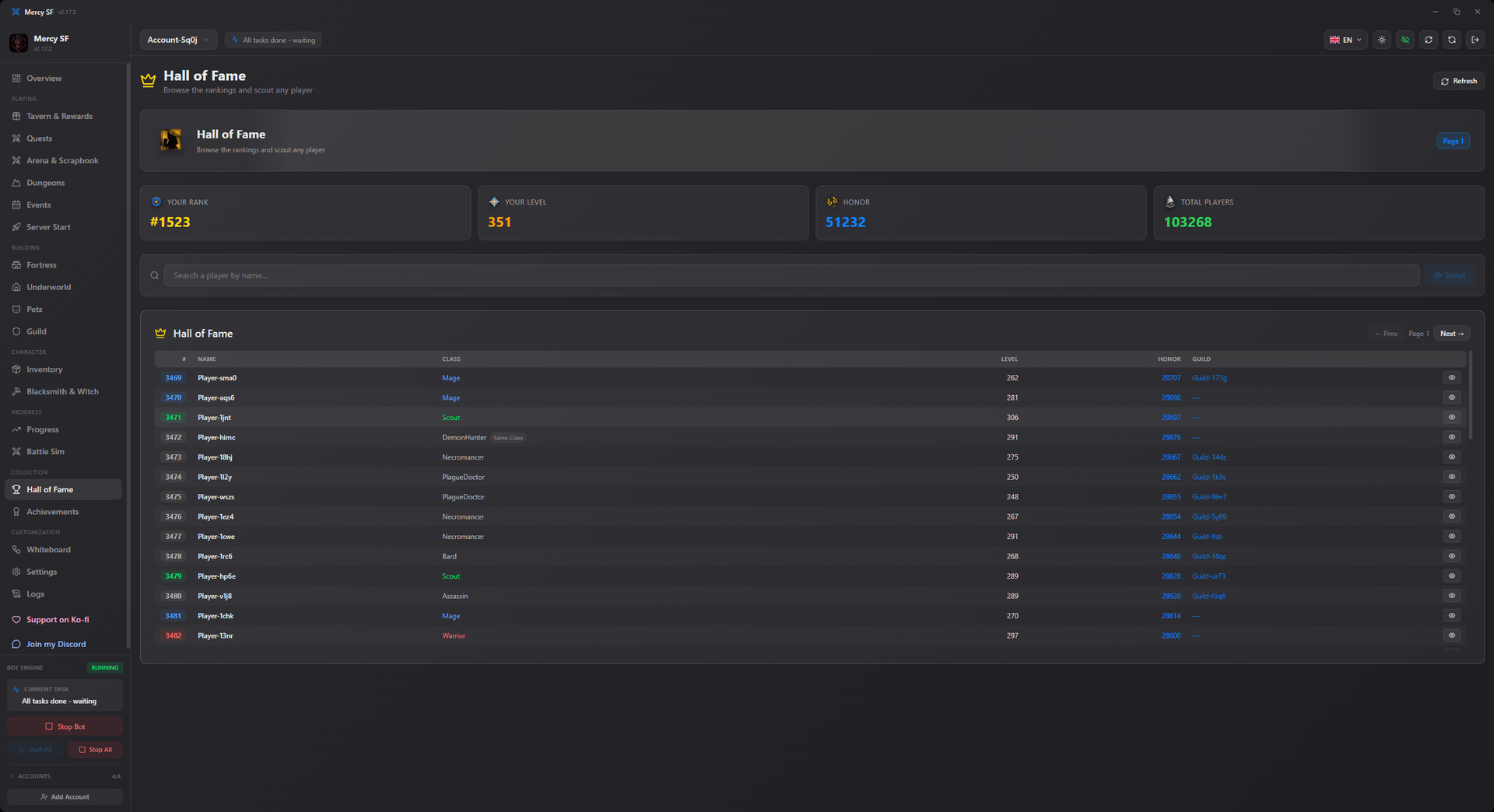
The Hall of Fame screen is the scouting tool. Search the server for any player, read what they are wearing, put their attributes beside yours, and simulate the fight before you commit one.
What it shows
- Rank, level, class, honour and guild.
- Full equipment, item by item, with the attributes each piece carries.
- Total attributes, next to your own.
- A one-click battle simulation against that player.
What it is for
Three jobs, in rough order of how often they come up.
Deciding a fight. Level is the number the game puts in front of you and it is the weaker predictor. Attributes and gear decide the outcome, and this is where you can see both before spending a fight.
Checking a scrapbook target by hand. The scrapbook hunt picks targets on its own, but when you want to know why it keeps choosing somebody, or why it refuses to, their equipment page is the answer.
Scouting a guild. Before a guild attack it is worth knowing who is actually in the other guild rather than what its total says.
It feeds the crawler
Everything you look up here also lands in the same per-account pool the scrapbook crawler builds, so a manual search is never wasted work. The pool is in memory for the session, and the reasons for that are on the scrapbook page.
Never-attack list
If you find somebody you do not want the bot going near, guild mates and friends being the usual case, add them to arena_never_attack. That list is checked against every source: the arena's three suggestions, the Hall of Fame, and the crawler's pool. A name you have said no to cannot come back through a different door.
The counterpart is arena_favorite_chars, which is the list the Favorized and FavorizedRows arena modes work from.