
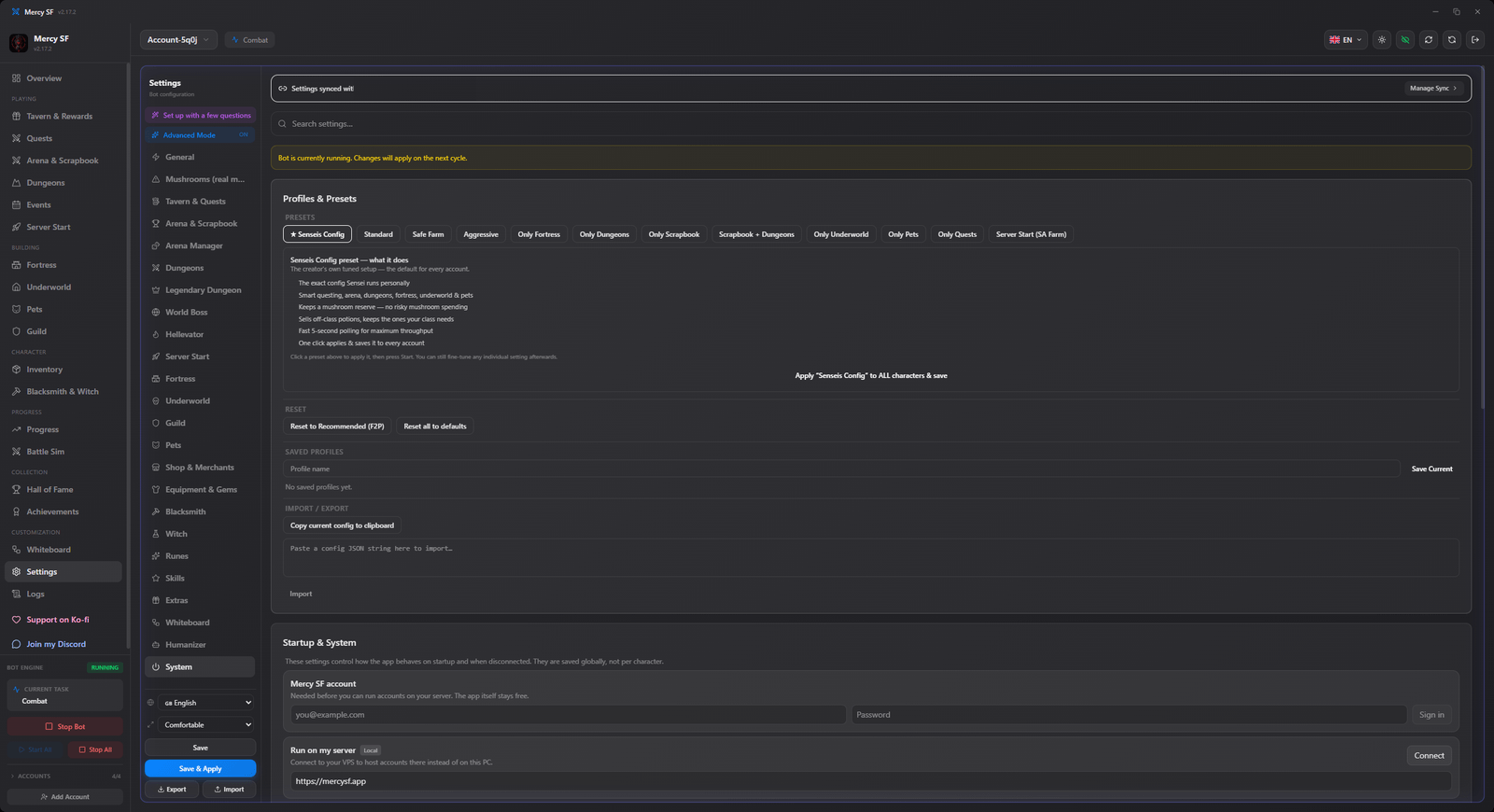
Settings
Every module is tuned from the Settings tab. Settings are per character, so a level 40 alt does not have to play by the main account's rules. Switch characters from the top bar.
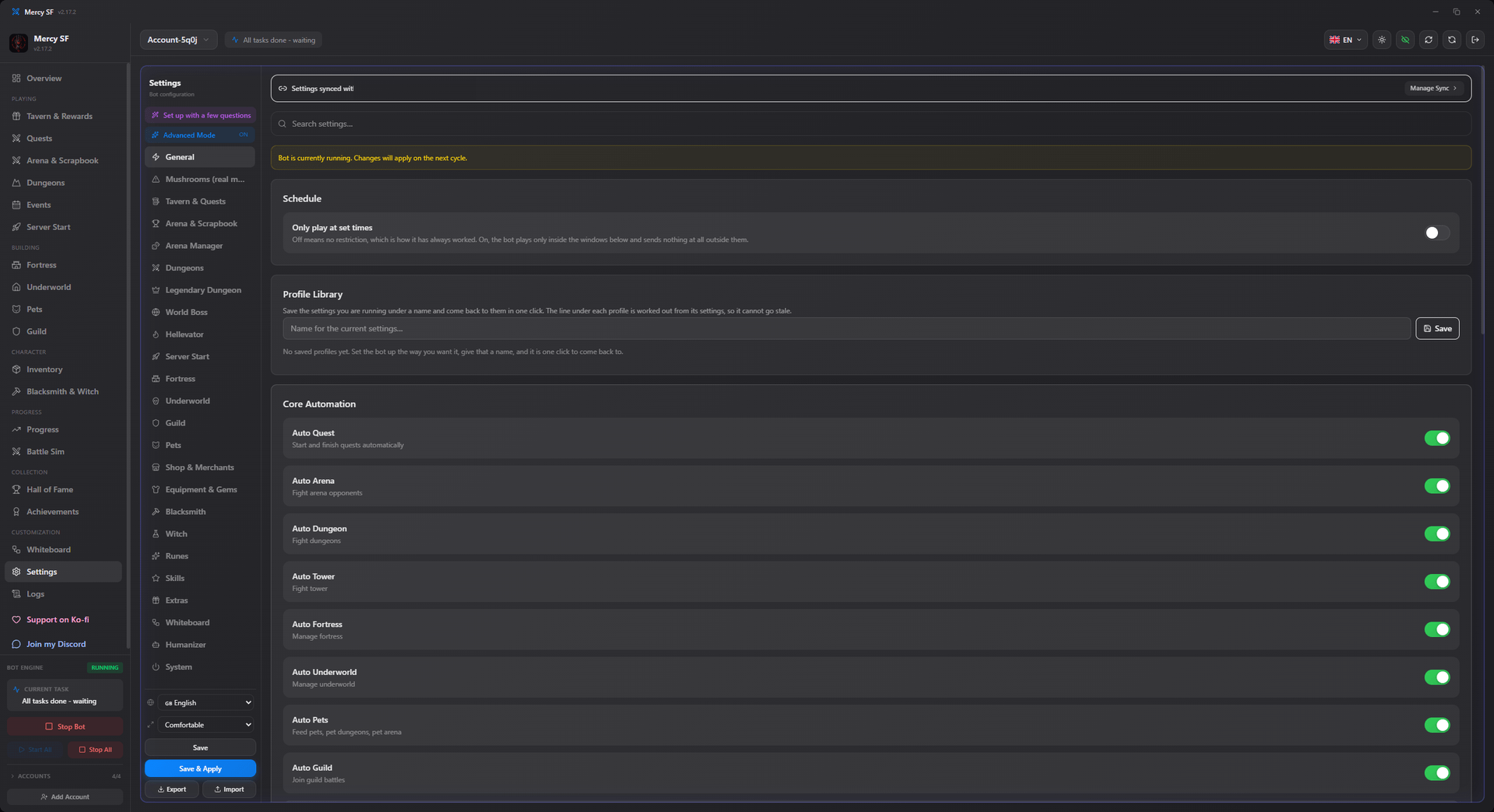
The sections
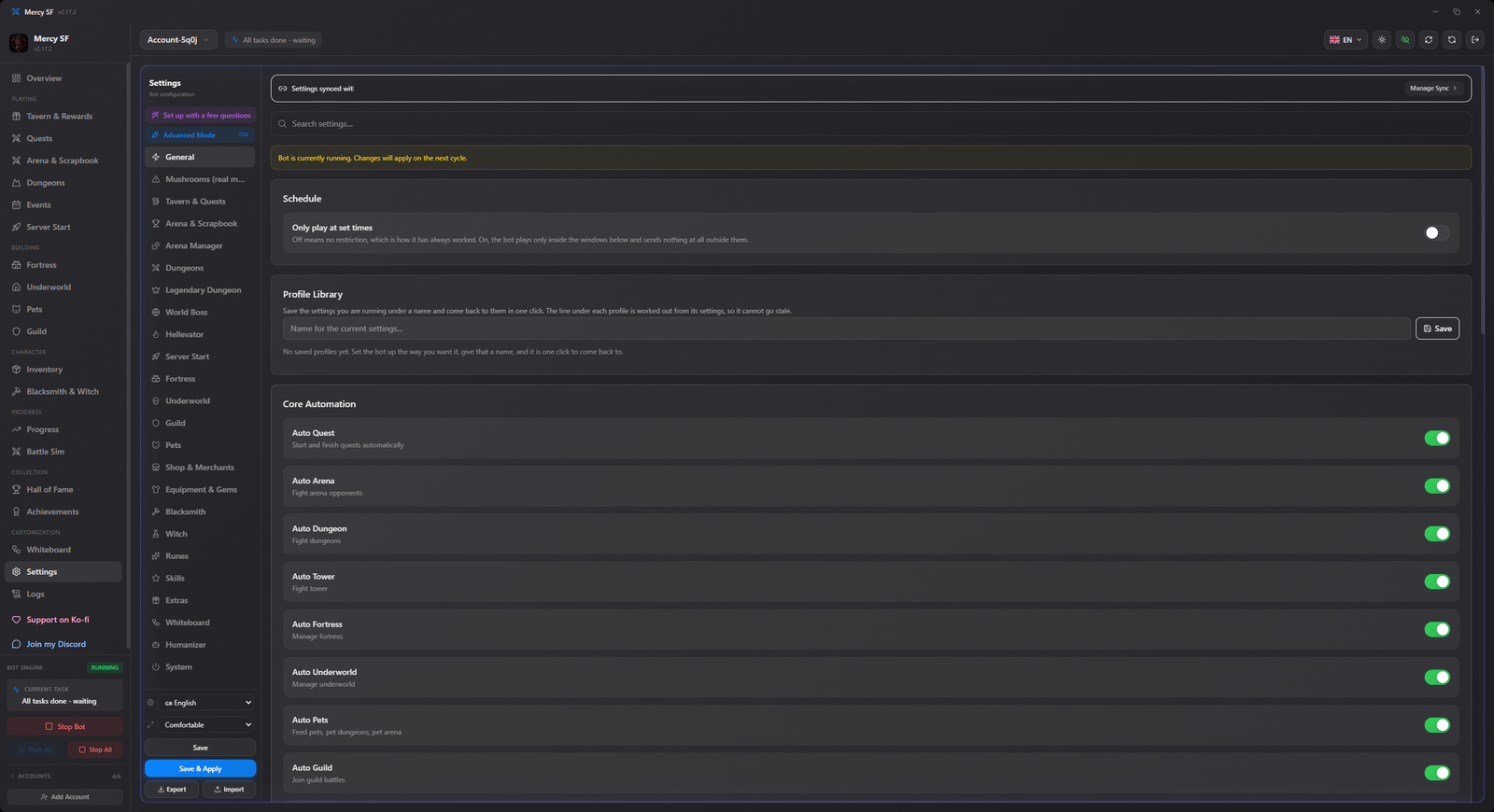
| Section | Holds |
|---|---|
| Core | The master switch for each module: quest, arena, dungeon, tower, fortress, underworld, pets, guild, the events. |
| Combat | Fight limits, win-chance floors, retreat thresholds. |
| Mushroom spending | Everything that can cost real money, in one place. |
| Economy | Gold reserves, shop behaviour, selling rules. |
| Pets | Feeding order, juice reserves, pet dungeons and arena. |
| Guild | Portal, hydra, raids, ready-up timing, donations. |
| Advanced | Experimental and power-user options. |
| System | Updates, logging, tray behaviour. |
Changes take effect on the bot's next cycle. Save & Apply pushes them immediately instead of waiting; Save persists them without forcing a re-check.
Mushrooms
Mushrooms are real money, so this deserves its own section rather than a line in a table.
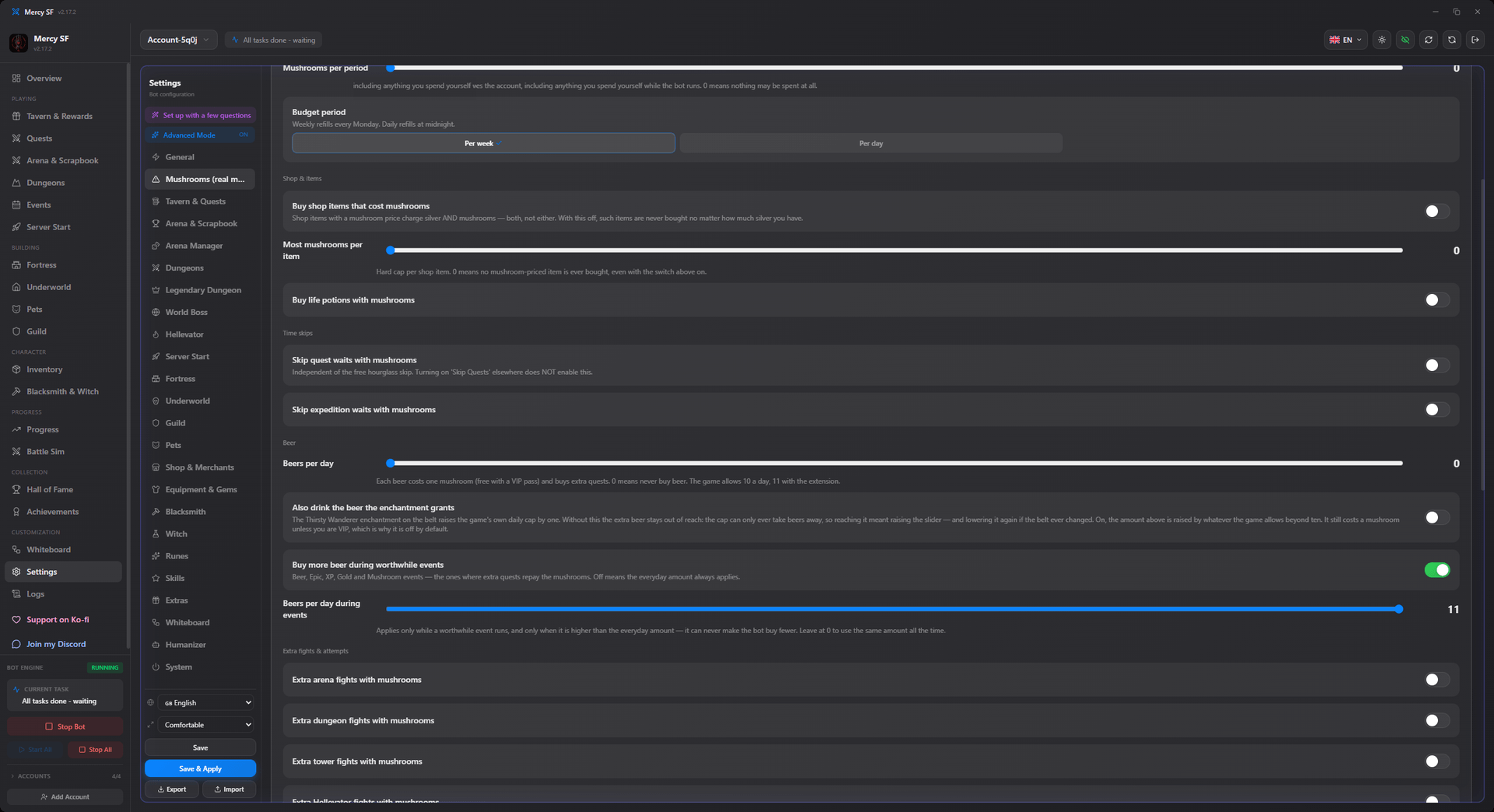
Every mushroom spender is off by default. They are separate switches, one per feature, because "may spend mushrooms" is not one decision:
use_mushrooms_arena, use_mushrooms_dungeon, use_mushrooms_tower, use_mushrooms_expedition, use_mushrooms_hellevator, use_mushrooms_legendary, use_mushrooms_mount, guild_donate_mushrooms, auto_lucky_turn_for_mush, skip_quests_with_mush.
On top of those there are two limits, and they protect different things.
| Setting | Default | Protects |
|---|---|---|
min_mushrooms | 25 | The balance. Nothing spends below this floor. |
mushroom_budget_enabled + mushroom_budget_amount + mushroom_budget_period | off, 0, Weekly | The rate. "Use at most twenty a week." |
You want both. An account that earns mushrooms steadily can sit above its floor forever while spending everything it earns, and the floor alone cannot see that.
The weekly period refills on Monday, not seven days after whenever the bot happened to be started.
The reserve used to default to zero
Older configs carry a stale 0, which means a single mushroom feature could drain the account. The migration lifts a 0 to 25. A reserve you chose yourself, however low, is left alone.
Beer is a mushroom setting
The beer settings live under Mushroom spending, not under Tavern & Quests, because every beer costs a mushroom unless the account is VIP. They used to be in the tavern section, which meant the list of "what may spend my mushrooms" quietly left three of them out.
Two escape hatches exist for VIP accounts, where beer is free: beer_ignores_mushroom_reserve is the manual override, and beer_auto_detect_free learns it by measuring the balance across a purchase, and re-checks daily because a VIP pass expires.
Schedule
The bot can be restricted to certain days and hours. Outside those windows it sends nothing at all. It does not idle quietly with a heartbeat, it stops.
Off by default.
No windows means never
Turning the schedule on without listing any windows means the character never runs. The page says so rather than leaving you to work it out from an idle bot.
Times are your own local time and follow it, daylight saving included, because a schedule is something you set by looking at your own clock.
A window whose end is earlier than its start runs past midnight, and belongs to the day it starts on. Fri 22:00 to 06:00 is the night that begins on Friday. Ticking Saturday as well would add a second night rather than extend the first.
Profile library
Save the settings you are running under a name and come back to them in one click. Rename, duplicate and delete are all there.
Each profile shows a line describing it: which modules it runs, how freely it spends mushrooms, and the settings that most change its behaviour. That line is worked out from the settings rather than typed in when you save. A description written once goes stale the moment you change something and re-save, and a stale description is worse than none, because it is the thing you trust when choosing.
The number next to Apply is how many settings that profile differs from the one you are running.
Settings that surprise people
min_fight_win_chance governs paid fights only. A free arena fight's cooldown runs out whether you use it or not, so the bot takes it regardless of the odds. If you once set this high and wondered why nothing changed, that is why. See Arena.
Quiet logging cuts the log down to what you would actually act on. Refusals that are part of normal play, such as "no more dungeon fights today", do not need a line every cycle. Leave it off while diagnosing something and on for day-to-day running.
auto_idle_game is the Arena Manager, and the game unlocks it at level 105. Below that the module has nothing to do. It now says so in the log rather than staying silent, which answers most "why is it doing nothing" questions about it.
achievement_engine_enabled is off, and it is the switch above all the per-achievement toggles. With it off the bot plays normally and never takes a detour for an achievement. See Achievements.
world_boss_max_upgrade_level is a preference, not a safety device. The bot never presses the mushroom button, so raising it past the free tier only spends requests on offers the server will refuse. See World Boss.
Pacing, and the Humanizer
A bot that acts on a perfectly regular rhythm looks like a bot, because nothing a person does happens at exactly the same interval forever. The Humanizer panel adds variation to the timing, and nothing else: it changes when things happen, never what happens or how much it costs.
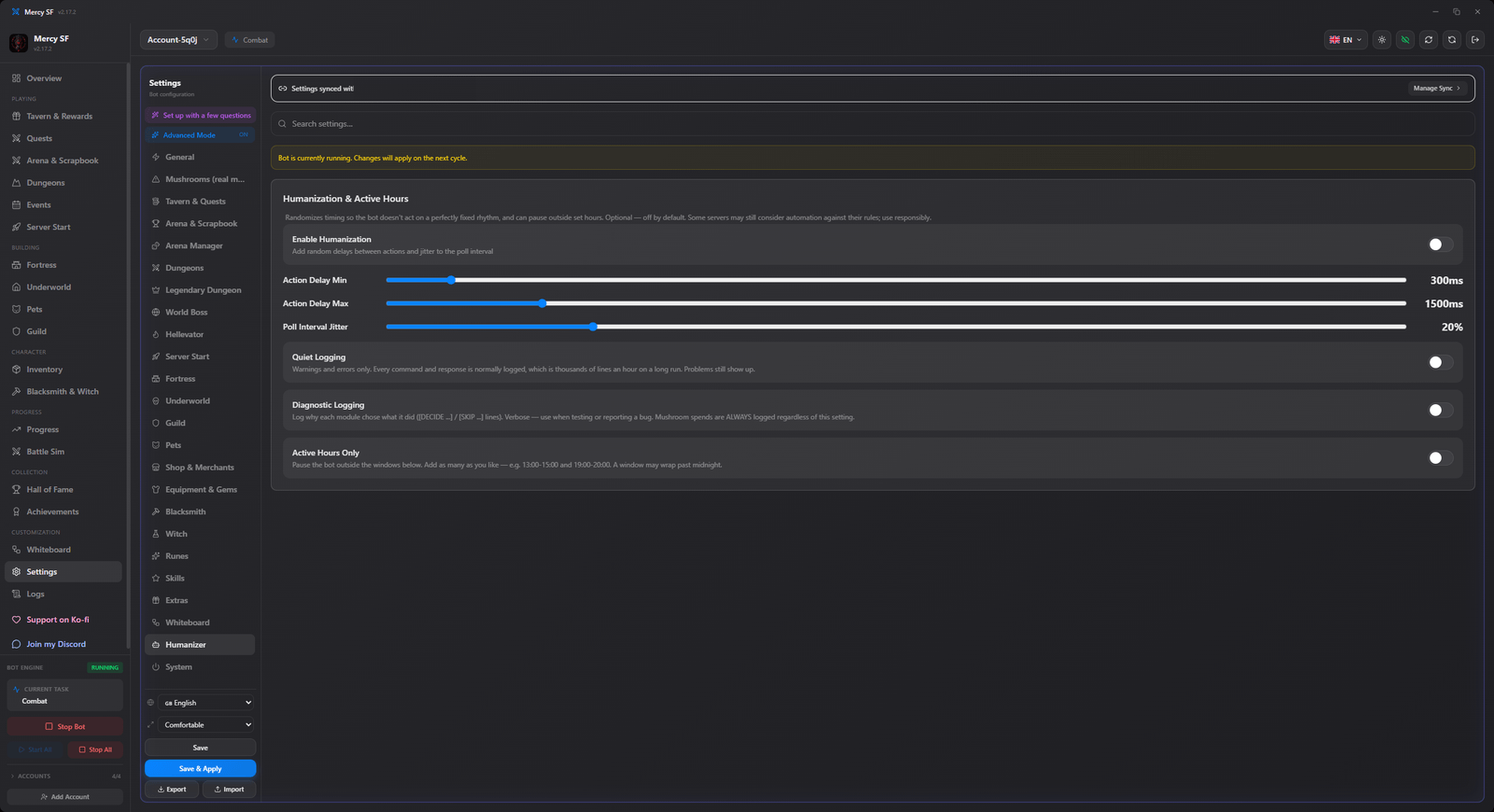
| Setting | Default | What it does |
|---|---|---|
humanize_enabled | off | The whole thing. Off means the intervals below are ignored. |
humanize_action_delay_min_ms | 300 | Shortest pause before an action. |
humanize_action_delay_max_ms | 1500 | Longest pause before an action. The actual wait is drawn between the two. |
humanize_poll_jitter_pct | 20 | How much the poll interval is allowed to wander, as a percentage either way. |
It is opt-in, and that is deliberate rather than shy: it makes the bot slower, and somebody should choose to trade throughput for a less mechanical rhythm rather than have that chosen for them.
It is not a cloak
This changes timing. It does not hide that an account is automated, and nothing in this application claims to. The risk discussion is on what a Shakes & Fidget bot is.
System
Updates, logging and tray behaviour, plus the quiet-logging switch described above.
From the console
The module switches can be read and changed from the headless build, if you are driving Mercy SF from a script or a dashboard. See the CLI reference.